OS : CentOS Linux release 7.9.2009 (Core)
1. 노트북 절전모드 끄기
[root@localhost ~]# setterm -powersave off -powerdown 0
2. 노트북 화면 덮개 무시 ( 안꺼짐 )
[root@localhost ~]# vi /etc/systemd/logind.conf아래 내용 중
#HandleLidSwitch=suspend -> HandleLidSwitch=ignore 로 변경
#  This file is part of systemd.
#
#  systemd is free software; you can redistribute it and/or modify it
#  under the terms of the GNU Lesser General Public License as published by
#  the Free Software Foundation; either version 2.1 of the License, or
#  (at your option) any later version.
#
# Entries in this file show the compile time defaults.
# You can change settings by editing this file.
# Defaults can be restored by simply deleting this file.
#
# See logind.conf(5) for details.

[Login]
#NAutoVTs=6
#ReserveVT=6
#KillUserProcesses=no
#KillOnlyUsers=
#KillExcludeUsers=root
#InhibitDelayMaxSec=5
#HandlePowerKey=poweroff
#HandleSuspendKey=suspend
#HandleHibernateKey=hibernate
HandleLidSwitch=ignore
#HandleLidSwitchDocked=ignore
#PowerKeyIgnoreInhibited=no
#SuspendKeyIgnoreInhibited=no
#HibernateKeyIgnoreInhibited=no
#LidSwitchIgnoreInhibited=yes
#IdleAction=ignore
#IdleActionSec=30min
#RuntimeDirectorySize=10%
#RemoveIPC=no
#UserTasksMax=
3. IP 설정
- 이더넷 장치명 확인 ( enp5s0 )
[root@localhost ~]# nmcli d
DEVICE  TYPE      STATE      CONNECTION
enp5s0  ethernet  connected  enp5s0
lo      loopback  unmanaged  --
[root@localhost ~]# nmtui
- Edit a connection 선택
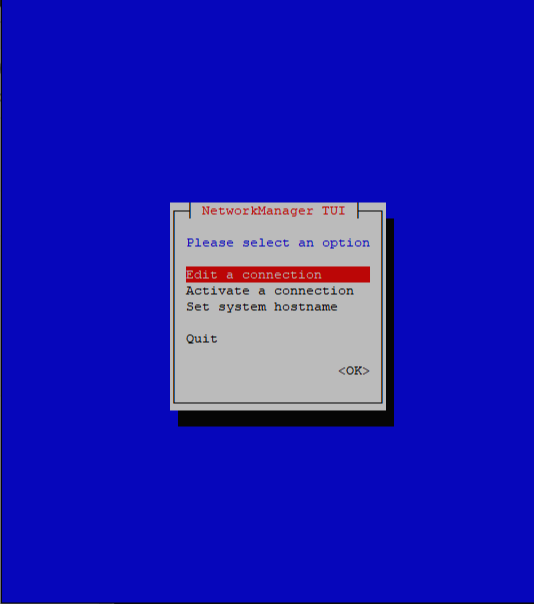
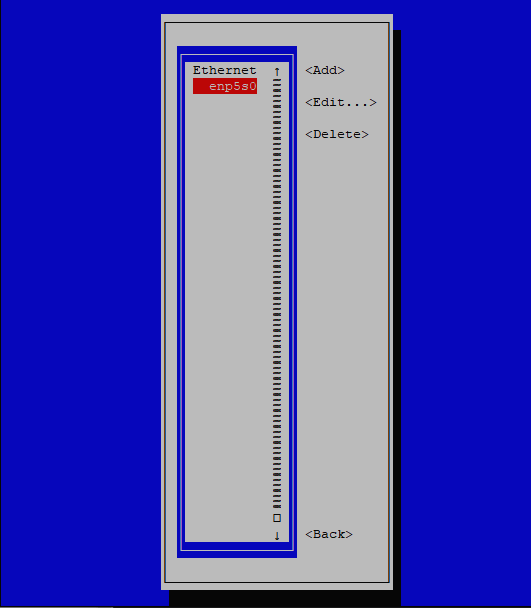
- Address / Gateway / DNS 입력 , Automatically connect 선택 후 OK

'Server > 환경 구축 - Centos' 카테고리의 다른 글
| [Linux] CentOS 7 MySQL 계정 권한 설정 (0) | 2022.04.25 |
|---|---|
| [Linux] CentOS 7 MySQL 계정 추가 및 외부 접속 허용 (0) | 2022.04.18 |
| [Linux] CentOS 7 MySQL 설치 및 설정 (0) | 2022.04.15 |
| [Linux] CentOS 7 FTP 설정 (0) | 2022.04.01 |
| [Linux] CentOS 7 SSH 설정 (0) | 2022.03.31 |