1. VS Code 설치 ( https://sangjunui.tistory.com/16 )
2. VS Code 확장 모듈 Remote Development 설치
- 아래 이미지는 설치 완료된 시점이라 [사용 안 함] 상태이다.

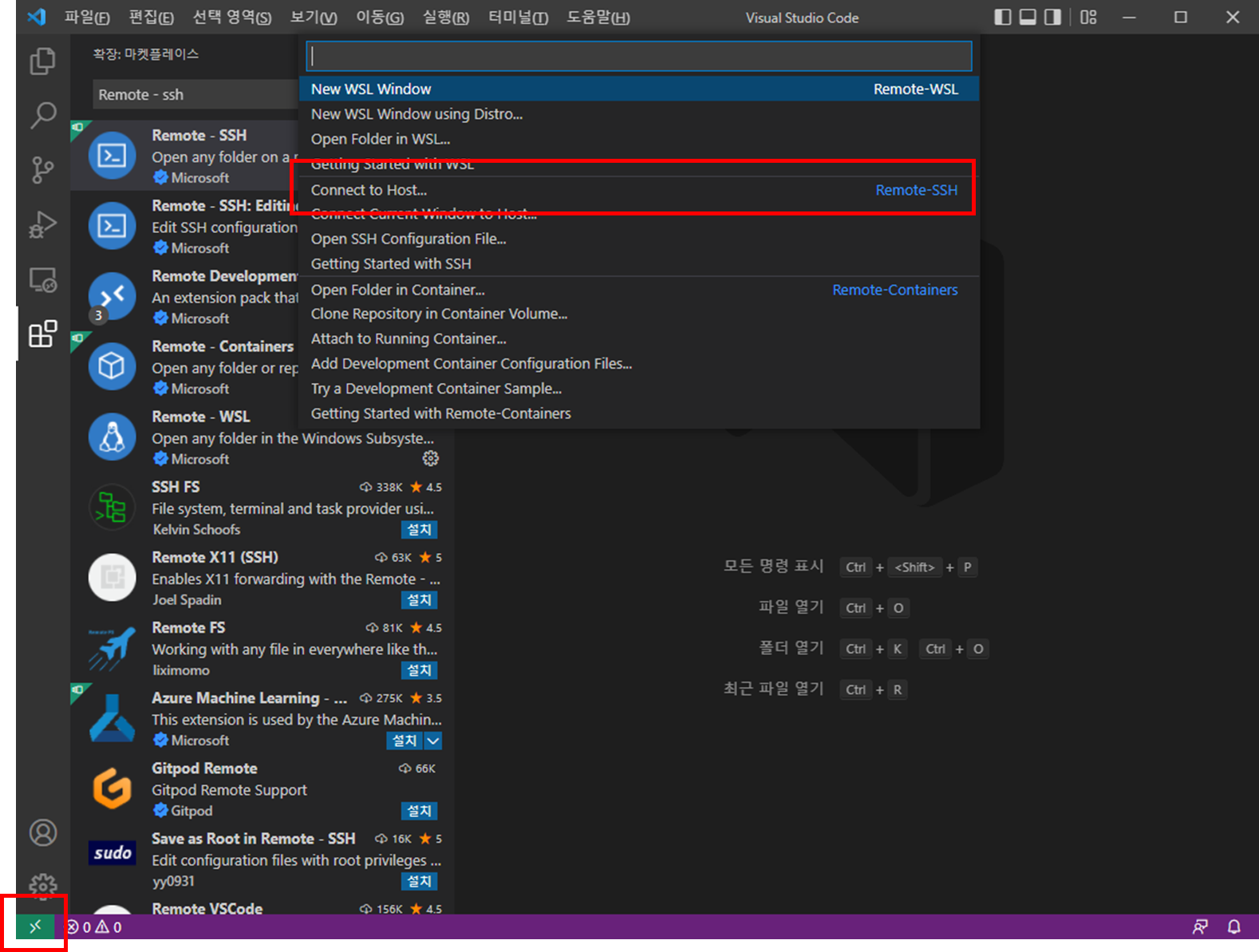
3. 좌측 하단 원격 창 열기
Remote-SSH Connect to Host... 선택
해당 서버 ID@serverip 입력
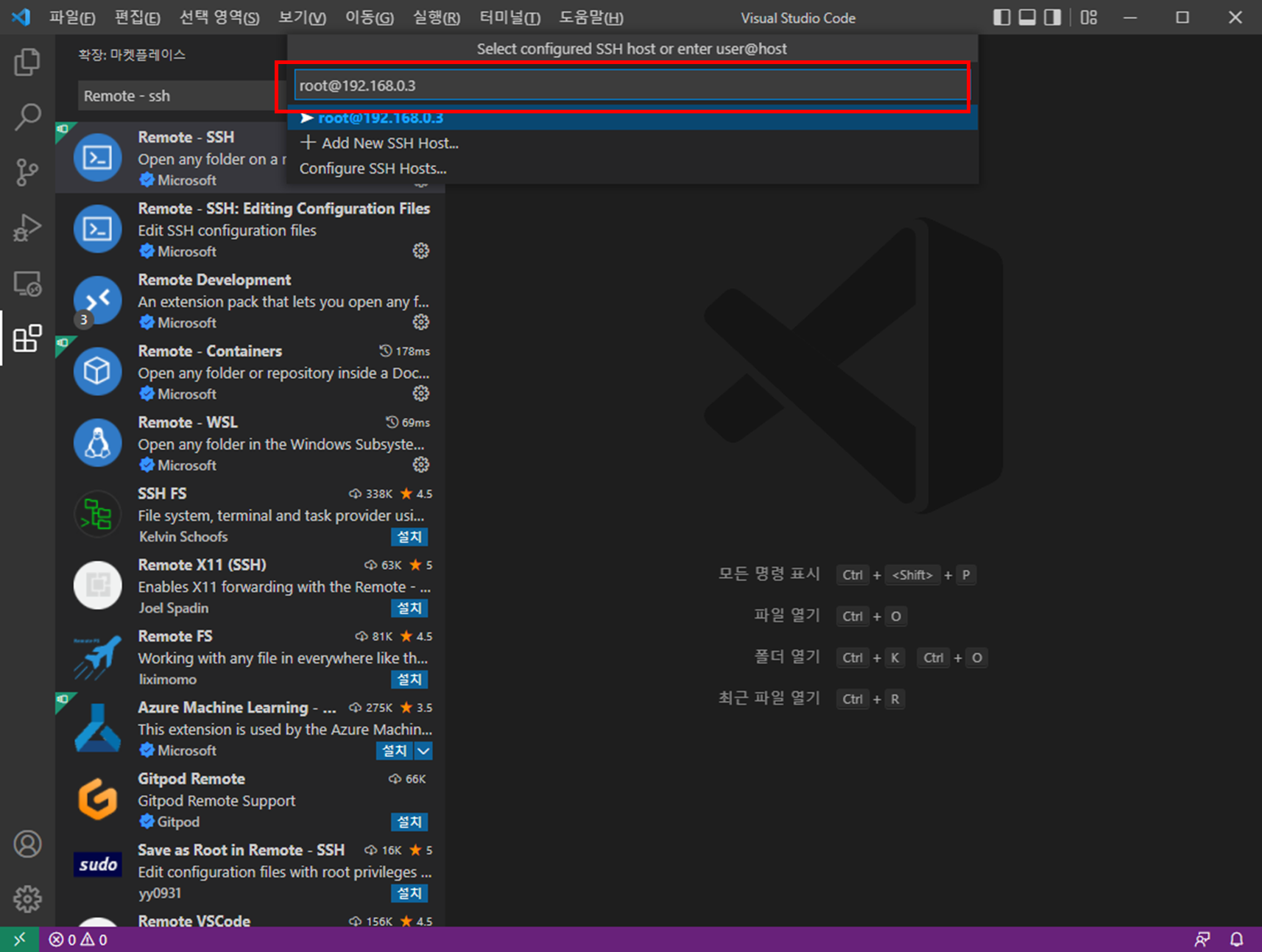
4. 새로운 창 OPEN - Targer Server OS 선택

5. 연결 실패 및 해결
실패에는 여러 원인이 있으나 필자의 경우 ssh key 이슈로 확인
( Host Key verification failed. )
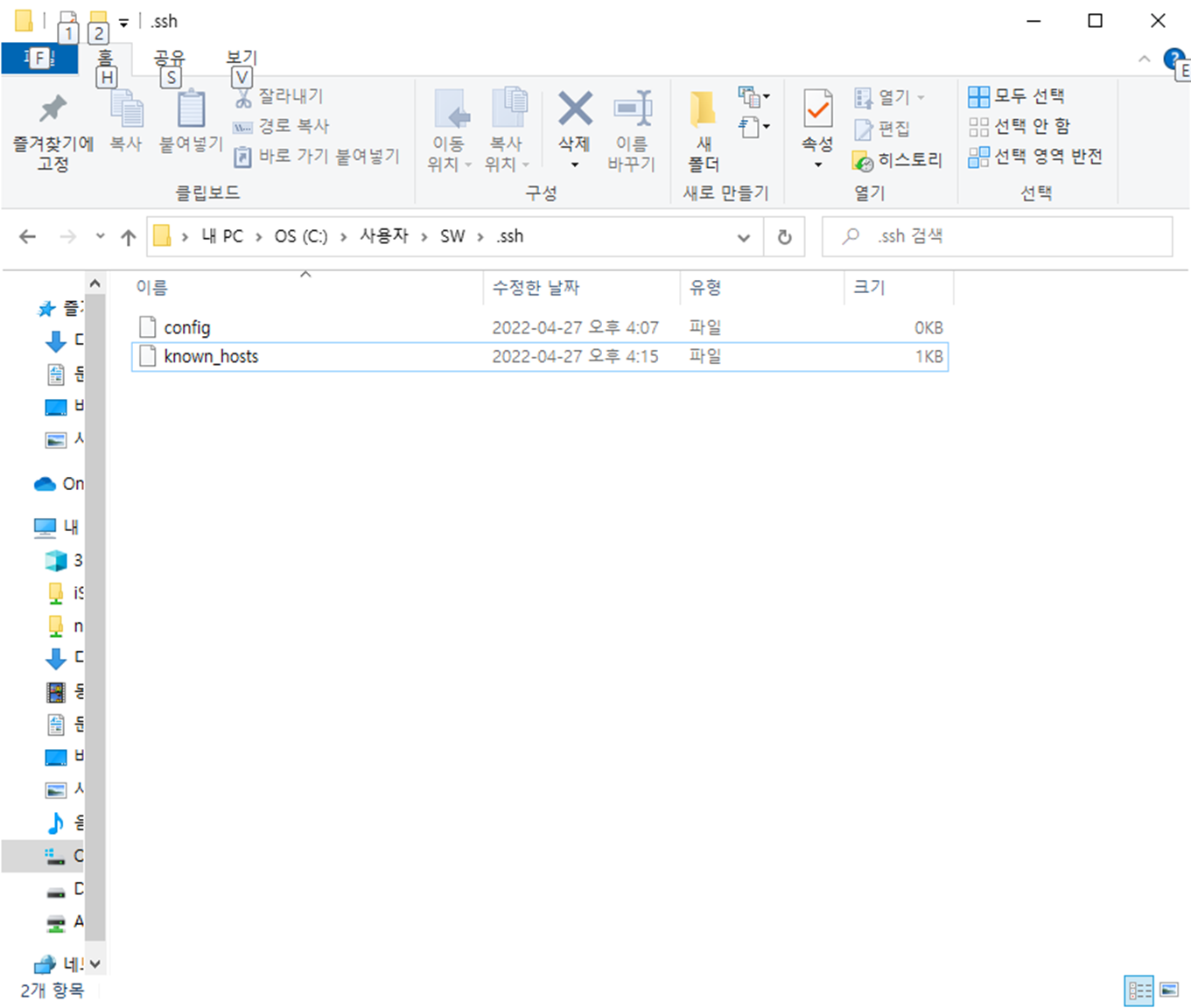
- 해당 key 가 있는 경로로 이동 후 known_hosts 파일 삭제
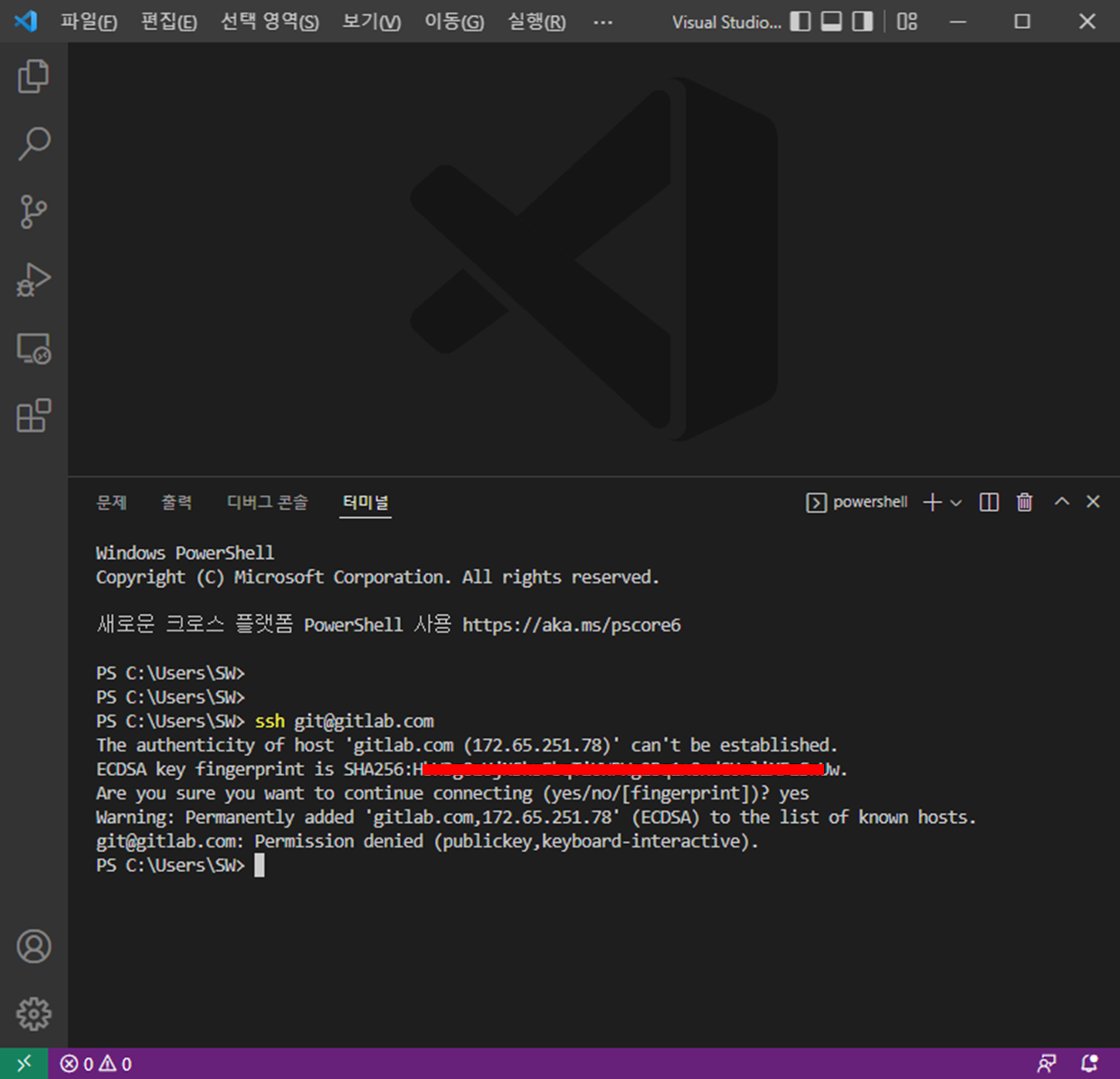
- vscode 터미널에서 key 재할당 ( ssh git@gitlab.com )

6. 재 접속 ( 위 3,4번 항목 )
Continue 이후 - 계정 Password 입력
연결 확인

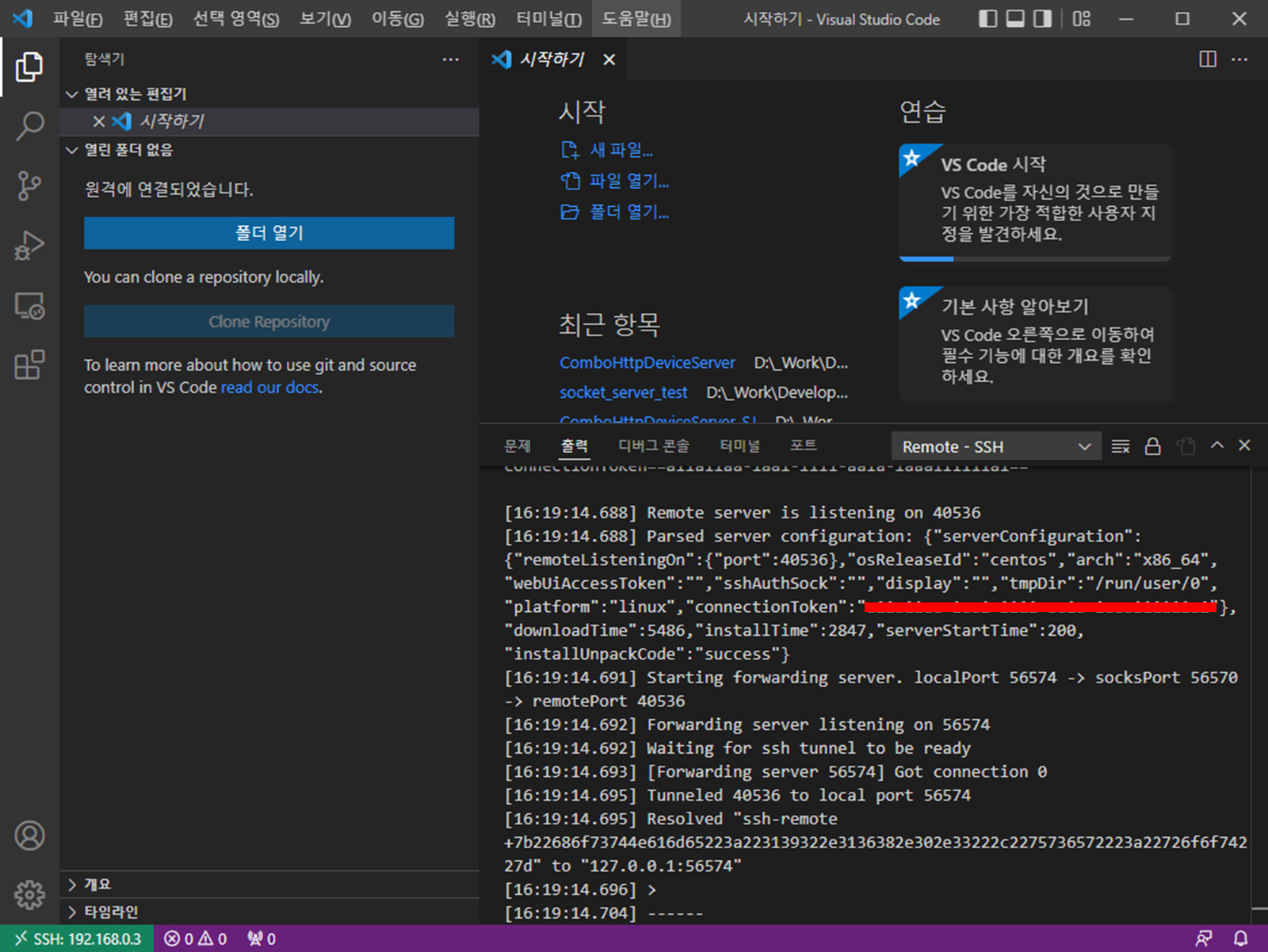
7. 해당 Server 에 프로젝트가 있다면
- Folder Open
- Server 디렉토리 설정
- 실행 ( node index.js )


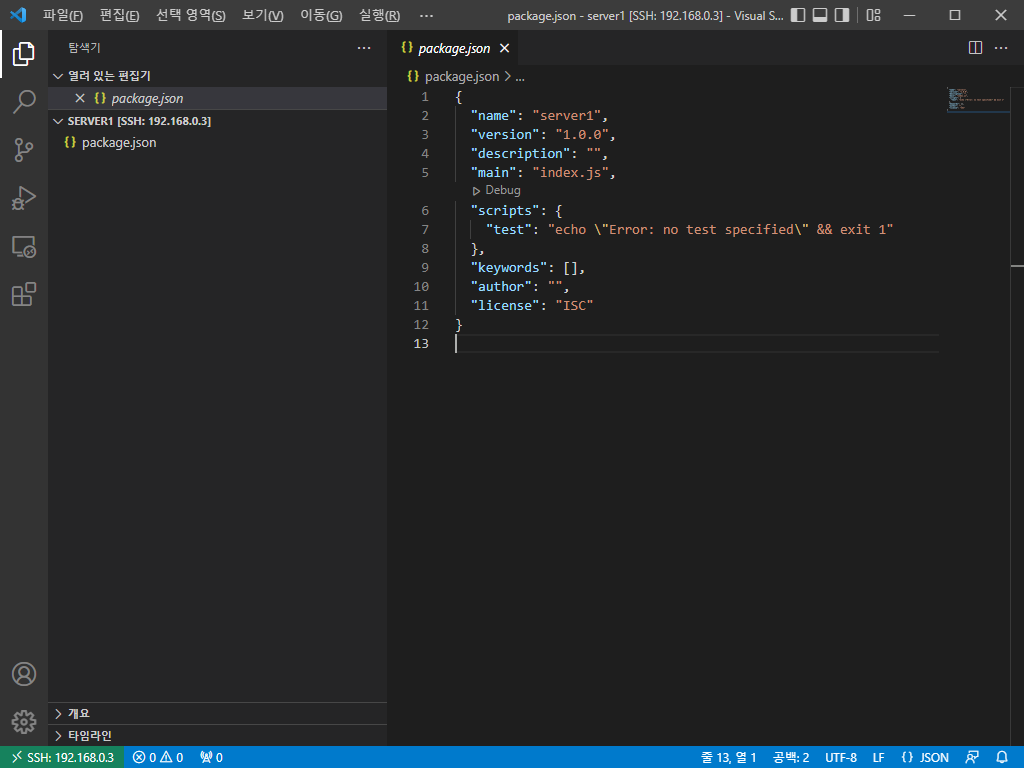
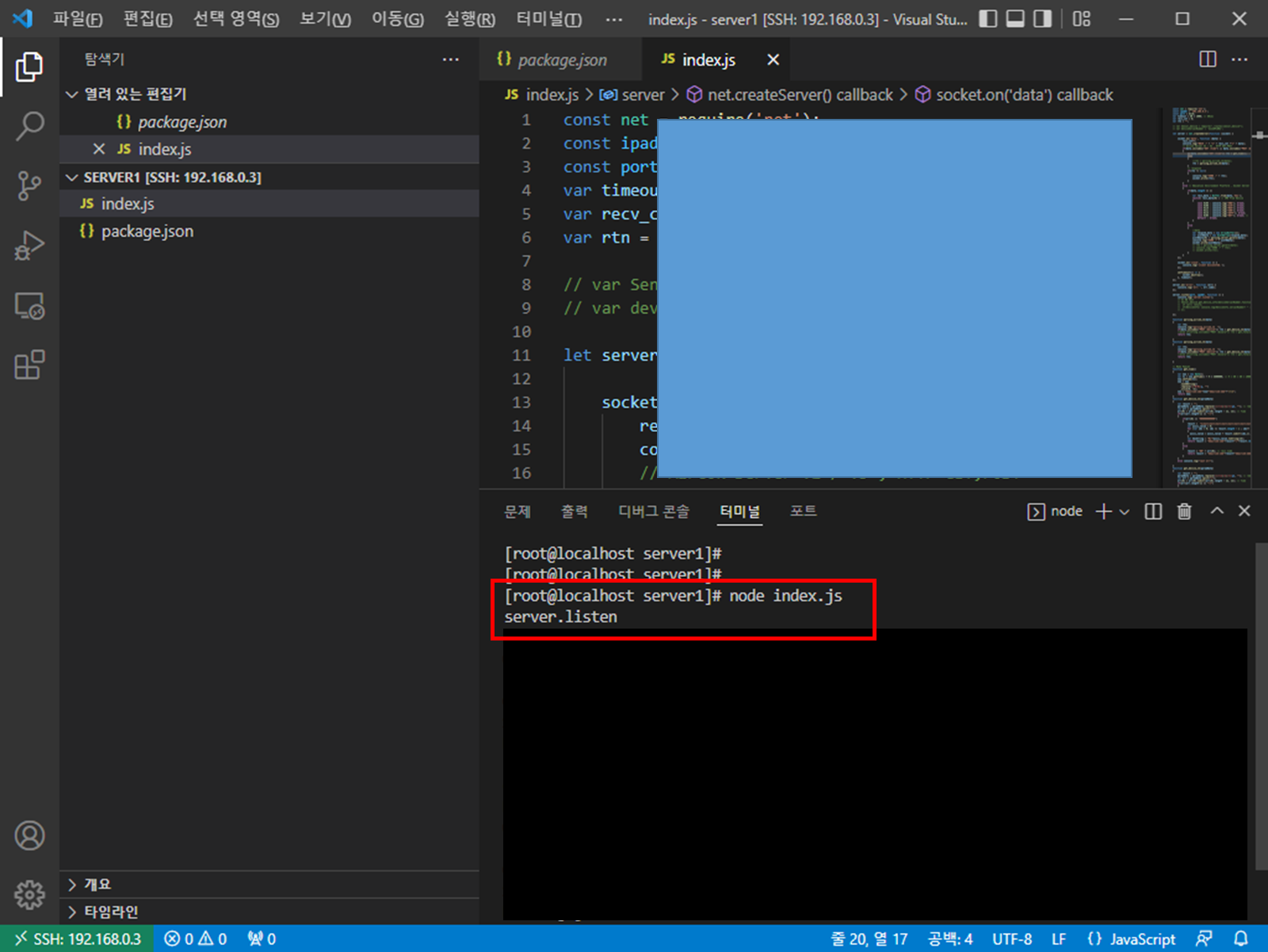
8. 프로젝트가 없다면 생성 ( https://sangjunui.tistory.com/16 )
위와 같이 프로젝트 생성할 경로 선택
- 터미널 열기
- 프로젝트 생성 ( npm init -y ) --> 해당 항목은 사용하지 않아도 무방
- 새파일 index.js 및 작성
- 실행 ( node index.js )
소켓 서버 테스트 예제는 https://sangjunui.tistory.com/29 에서 확인 가능
맥의 경우 ( https://sangjunui.tistory.com/49 ) 참고
'Server > 개발' 카테고리의 다른 글
| [Node.js] console.log time stamp (0) | 2022.05.19 |
|---|---|
| [Node.js] mysql 연동 (0) | 2022.05.19 |
| [Node.js] mysql 연동 issue (0) | 2022.04.25 |
| [Node.js] HEX array parsing (0) | 2022.04.14 |
| [Node.js] UTF8 / Hex 값 송수신 (0) | 2022.04.14 |