이전 포스팅에서는 로컬 저장소를 만들어봤으며 ( https://sangjunui.tistory.com/18 )
본 포스팅에서는 해당 로컬 저장소를 원격 저장소에 올리는 방법을 소개한다.
1. git 계정 발급 - skip ( https://github.com/ )
GitHub: Where the world builds software
GitHub is where over 73 million developers shape the future of software, together. Contribute to the open source community, manage your Git repositories, review code like a pro, track bugs and feat...
github.com
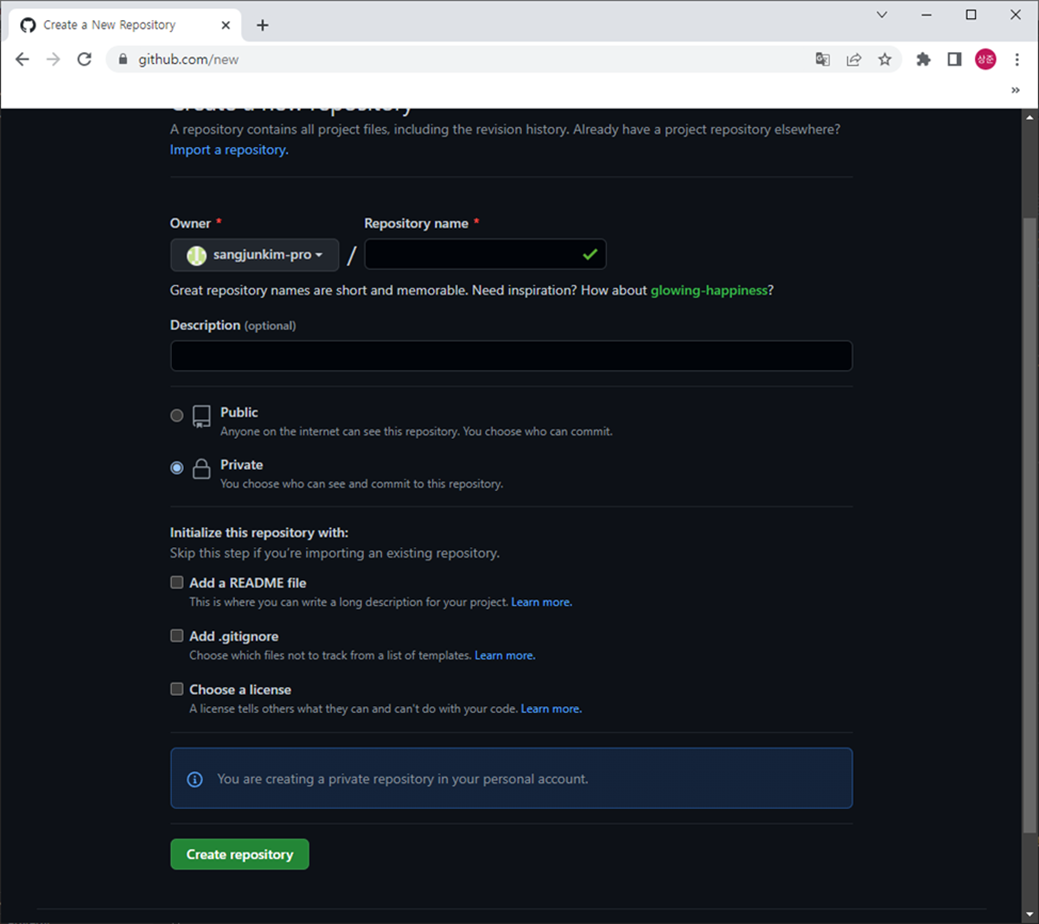
2. git-hub 에 Repository 생성
- git 로그인 후 New 선택
- Repository name 입력
- 공개여부 선택 ( Public , Private )
- Create repository 선택
- URL 확인


3. SourceTree 저장소 설정
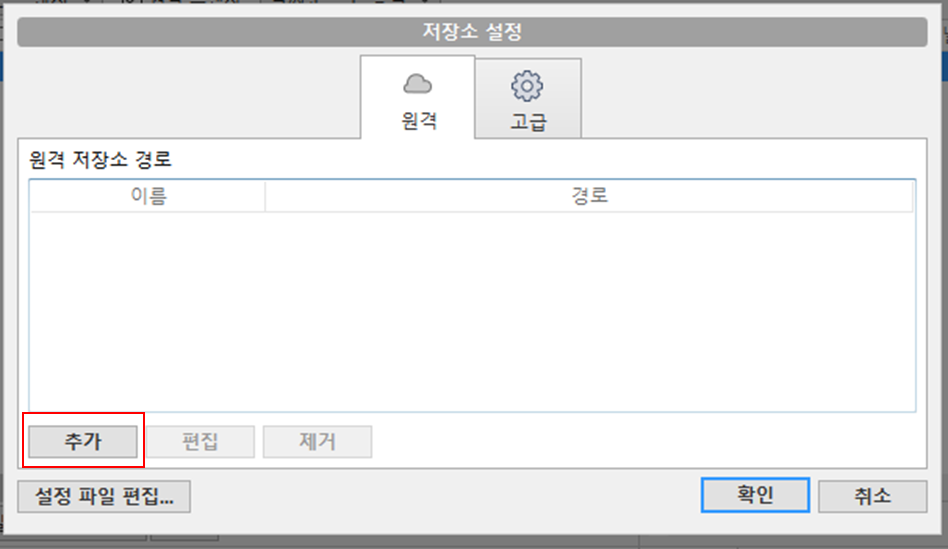
- 설정 / 추가
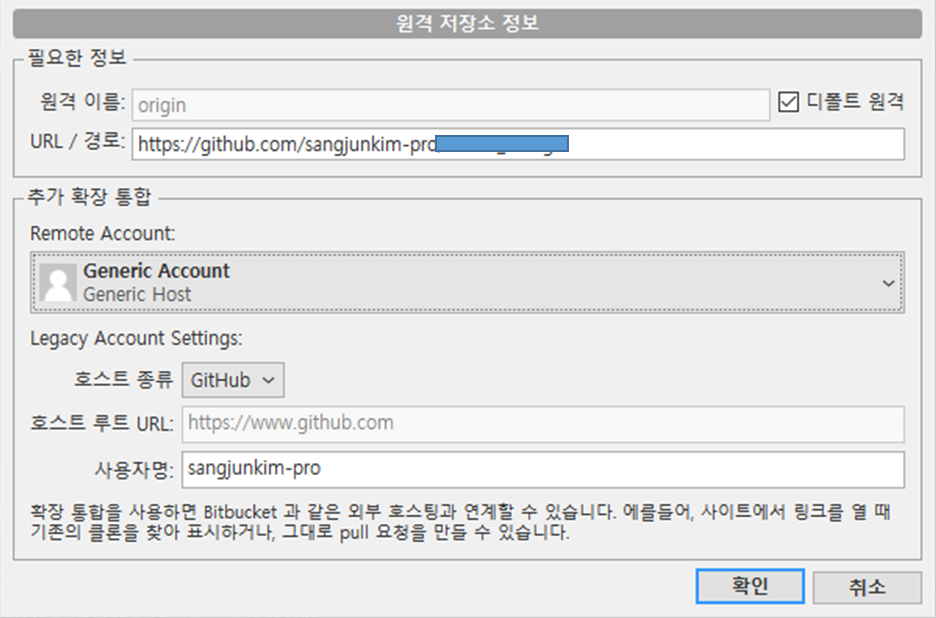
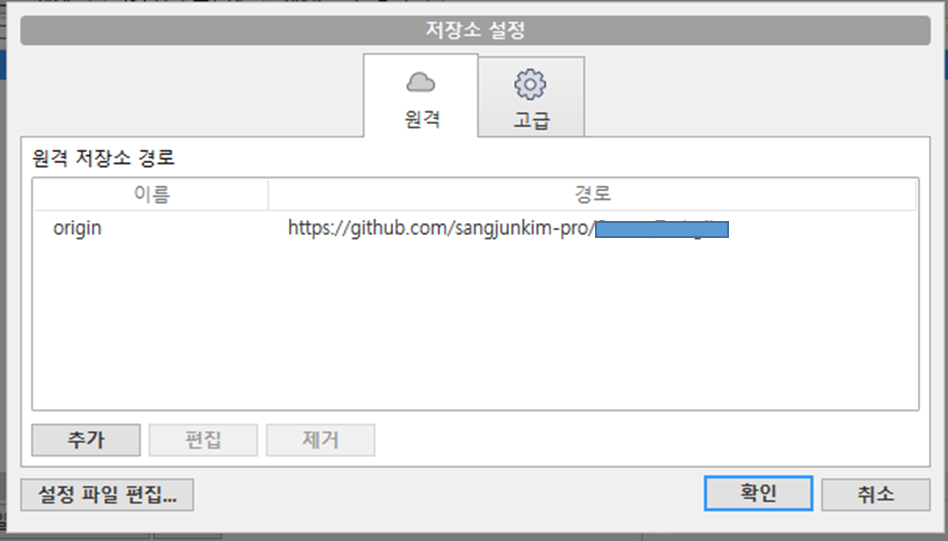
- URL 입력 / 호스트 입력

4. Push 실행 및 실패 ( 토큰 이슈 )
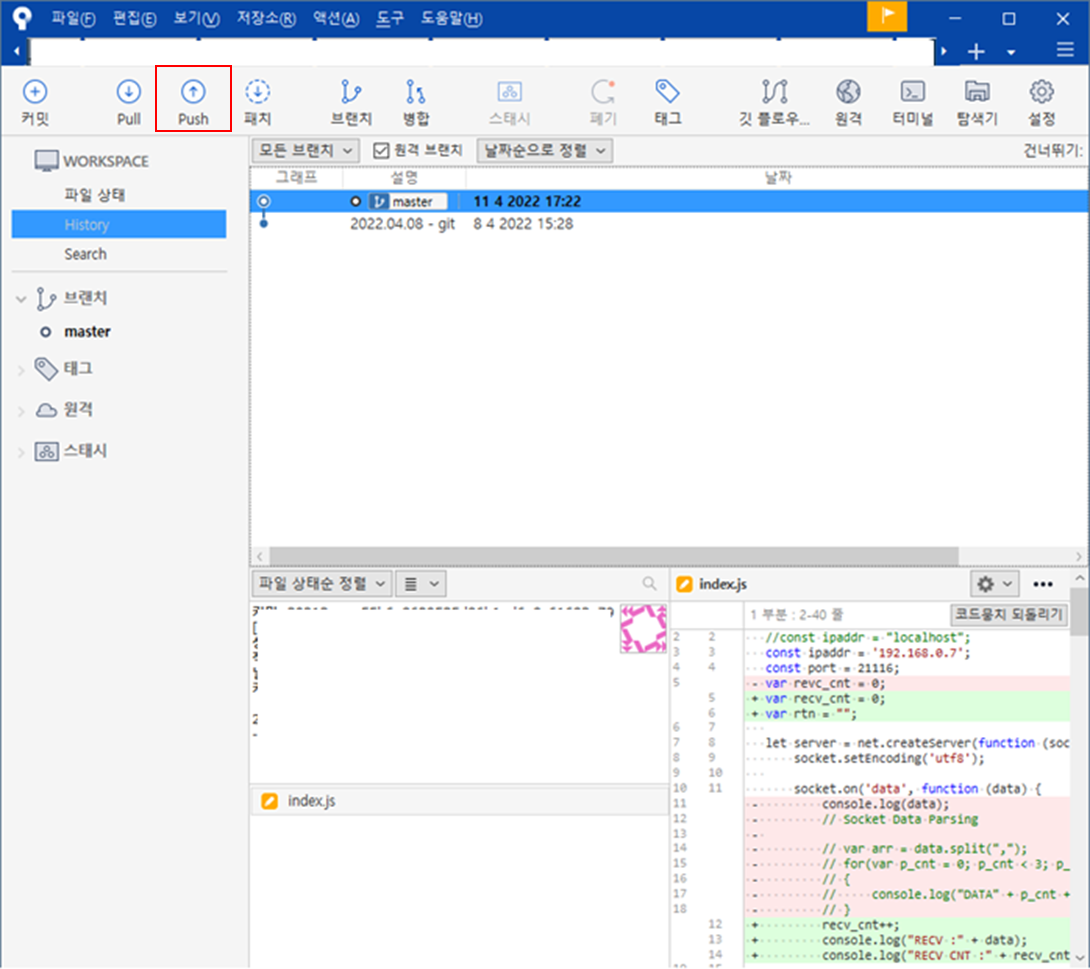
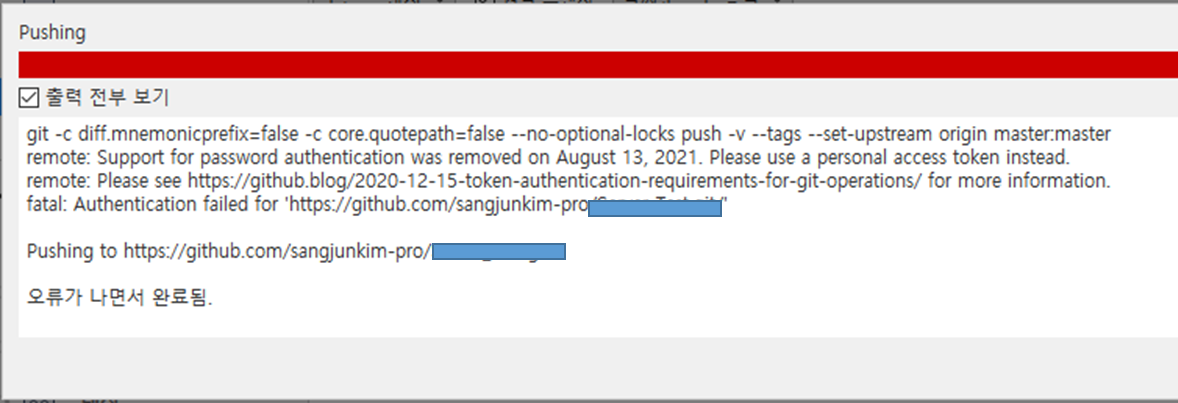
- 이슈
Github 에서는 2021년 8월 31일 이후부터 토큰을 사용해야한다.
5. 설정으로 돌아가 Token 적용
-> Token 확인 후 URL 에 아래와 같이 적용
-- http://토큰값@url
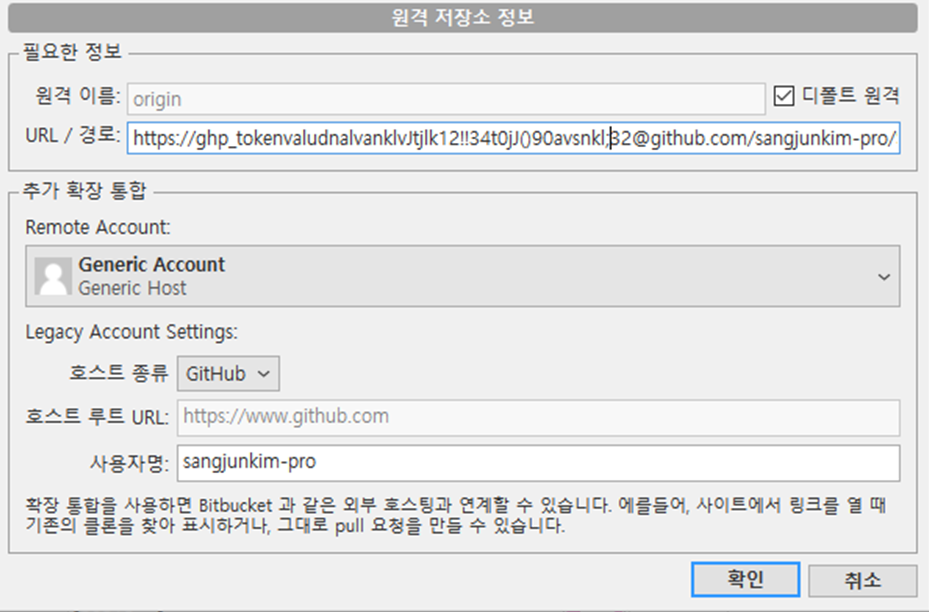
6. Push 이후 웹페이지 확인
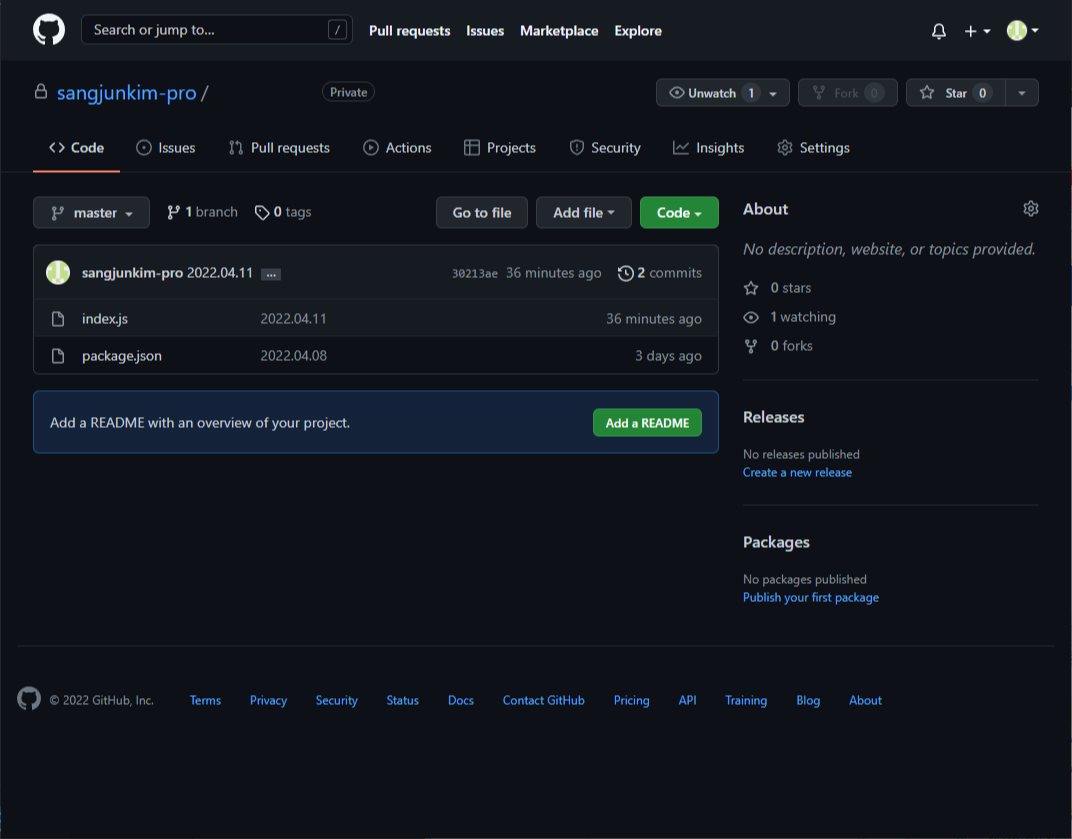
'Git' 카테고리의 다른 글
| [ Windows ] Sourcetree 설치 (0) | 2022.05.09 |
|---|---|
| Github Repository 삭제 (0) | 2022.04.11 |
| [ Sourcetree ] 신규 Repository 생성 - 윈도우 (0) | 2022.04.08 |